About Timberworks
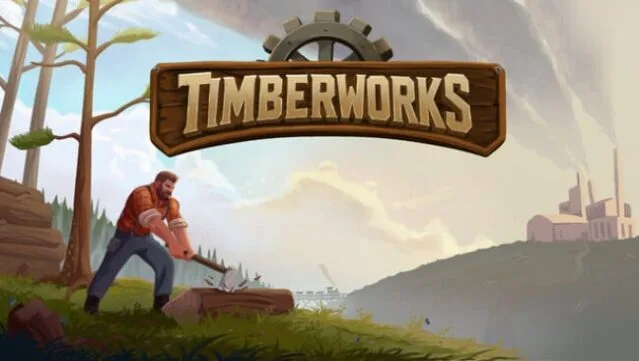
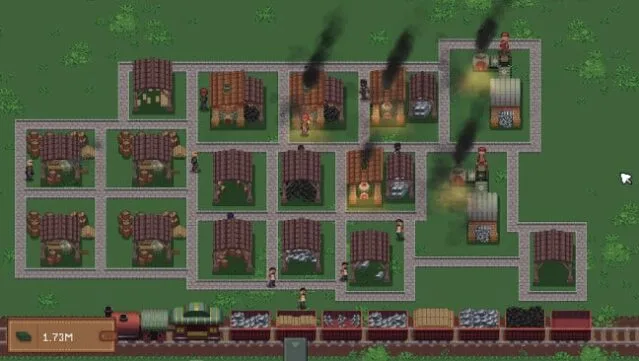
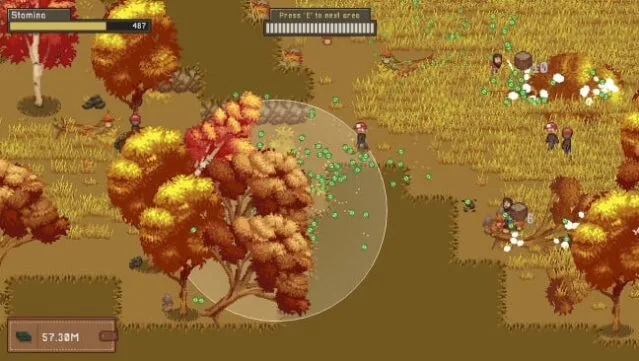
This game transforms a barren stretch of forest into a thriving industrial powerhouse, making resource management feel both engaging and rewarding. As an incremental game, it immerses players in a world of timber production, where you start by manually gathering wood and selling it for cash to fund your initial upgrades. As your operation grows, you recruit lumberjacks and miners to automate resource collection, shifting focus to building factories and establishing extensive rail networks.
The game thrives on its sense of progression; each new upgrade unlocks greater efficiency and complexity, creating a satisfying feedback loop of gathering, processing, selling, and reinvesting. The emphasis on rail transport adds a tangible layer to your operations, making logistics a critical component of success. Ideal for fans of automation-heavy games like Factorio or those who enjoy the gradual satisfaction of idle management, this title invites players to experience the joy of watching their humble beginnings evolve into a well-oiled machine.
Instructions
- Click the Download button below and you will be redirected to UploadHaven.
- Wait 5 seconds and click on the blue ‘download now’ button. We recommend using a download manager for faster download speeds. (You can use FDM which is free here, or any other download manager).
- Once the game is finished downloading, right click the .zip file and click on “Extract to Timberworks v1.1.0.zip” (To do this you will need 7-Zip, which you can get here, or you can use the built in windows extractor).
- Double click inside the Timberworks v1.1.0 folder and run the setup application. Accept the EULA, and install the game. Then, launch the game through the desktop shortcut.
Timberworks Free Download (v1.1.0)
Timberworks (v1.1.0)
Size: 128.22 MB
Popular & Similar Downloads




Reminder: This download is completely free and won't cost you a penny. However, If you love the game and want to purchase it, you can support the developers by doing so here.
System Requirements
- OS: Windows 10
- Processor: Dual-core 2.0 GHz or higher
- Memory: 4 GB RAM
- Graphics: 1GB Video Memory
- DirectX: Version 11
- Storage: 300 MB available space
Screenshots




Timberworks – Windows & macOS Desktop Technical Guides
Need Windows 10/11 (x64) or macOS (Apple Silicon M1–M4 / Intel) compatibility specs, installation steps, or troubleshooting fixes for Timberworks? Explore our dedicated desktop sub-guides:
- Timberworks Windows & macOS System Requirements
- How to Install Timberworks (Windows & Mac Setup)
- Timberworks Startup Crash, DLL & Permission Fixes
- Timberworks Latest Build Changelog & Patch Notes
Related GOG Unlocked Releases & Hubs: