
About Lucky Scoop
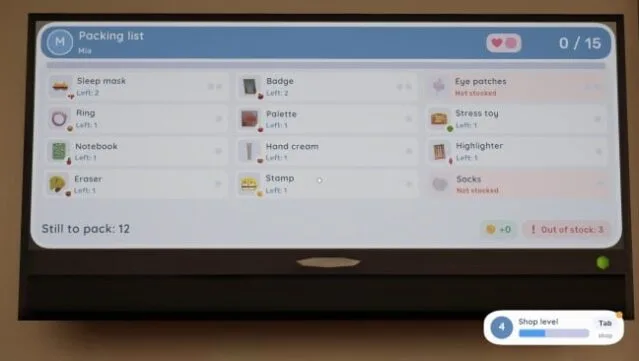
Step into a charming gift shop where every gem scoop and parcel packed turns into a delightful challenge in this cozy management simulator. Set in a vibrant neighborhood, you engage with customers who have unique requests, requiring you to pay close attention to their preferences and turn vague ideas into thoughtful gifts. The gameplay revolves around gathering gems, creatively packing them into a three-dimensional box grid, and solving spatial puzzles reminiscent of Tetris without the pressure of timers or penalties.
You also handle inventory management, ordering supplies, and ensuring your shop runs smoothly while upgrading your tools for efficiency. With a focus on planning and organization, this game combines the tactile satisfaction of shop management with light puzzle-solving. Perfect for fans of laid-back simulation games who enjoy a mix of creativity and strategy, especially if you’re seeking a more relaxed alternative to traditional management titles.

Instructions
- Click the Download button below and you will be redirected to UploadHaven.
- Wait 5 seconds and click on the blue ‘download now’ button. We recommend using a download manager for faster download speeds. (You can use FDM which is free here, or any other download manager).
- Once the game is finished downloading, right click the .zip file and click on “Extract to Lucky Scoop.zip” (To do this you will need 7-Zip, which you can get here, or you can use the built in windows extractor).
- Double click inside the Lucky Scoop folder and run the setup application. Accept the EULA, and install the game. Then, launch the game through the desktop shortcut.
Lucky Scoop Free Download
Popular & Similar Downloads




Reminder: This download is completely free and won't cost you a penny. However, If you love the game and want to purchase it, you can support the developers by doing so here.
System Requirements
- Requires a 64-bit processor and operating system
- OS: Windows 10 64-bit
- Processor: Intel Core i3-6100 / AMD Ryzen 3 1200
- Memory: 8 GB RAM
- Graphics: NVIDIA GeForce GTX 750 Ti (2 GB) / AMD Radeon RX 460 / Intel Iris Xe
- DirectX: Version 11
- Storage: 2 GB available space
Screenshots

Lucky Scoop – Windows & macOS Desktop Technical Guides
Need Windows 10/11 (x64) or macOS (Apple Silicon M1–M4 / Intel) compatibility specs, installation steps, or troubleshooting fixes for Lucky Scoop? Explore our dedicated desktop sub-guides:
- Lucky Scoop Windows & macOS System Requirements
- How to Install Lucky Scoop (Windows & Mac Setup)
- Lucky Scoop Startup Crash, DLL & Permission Fixes
- Lucky Scoop Latest Build Changelog & Patch Notes
Related GOG Unlocked Releases & Hubs: