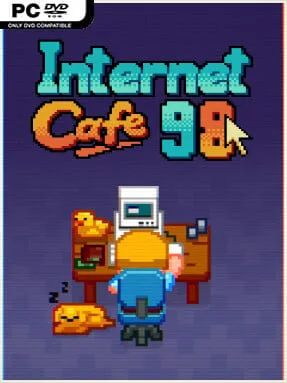
About Internet Cafe 98
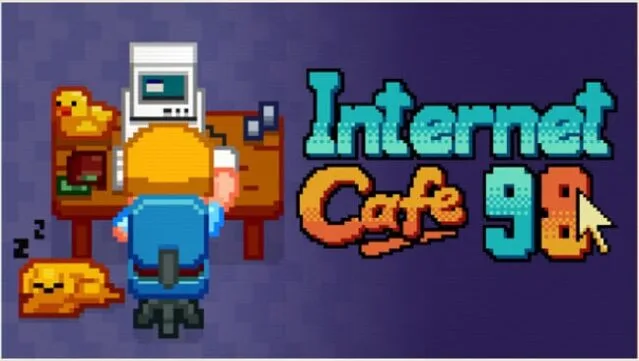
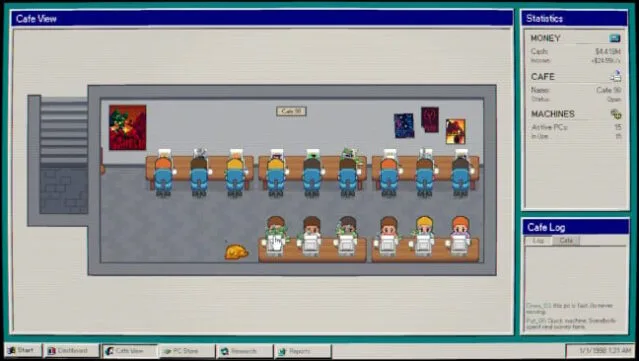
Step back into the late '90s with a nostalgic idle management simulator that captures the essence of running an Internet café. Set in a vibrant retro environment reminiscent of Windows 98, the game allows players to start with a modest PC room and grow it into a global tech empire, all while managing customer satisfaction and system upgrades.
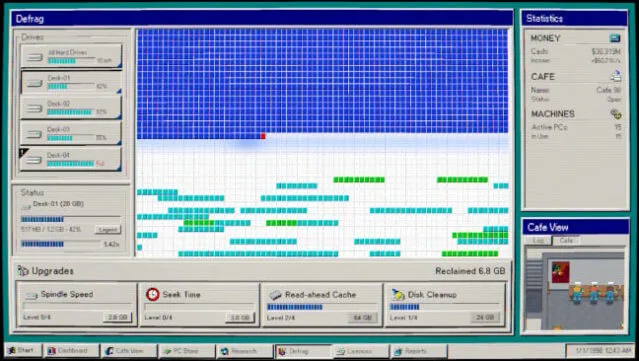
You drag and drop through a desktop interface to purchase hardware, maintain PCs, and unlock new upgrades, making management feel like a fun computer operation rather than a typical builder. A unique feature is the ability to license and play ten retro games within your café, offering a refreshing break from the usual business tasks. Whether you’re optimizing for efficiency or simply enjoying the laid-back gameplay, this title is a perfect pick for fans of nostalgic management sims and those who love a good optimization challenge.
Instructions
- Click the Download button below and you will be redirected to UploadHaven.
- Wait 5 seconds and click on the blue ‘download now’ button. We recommend using a download manager for faster download speeds. (You can use FDM which is free here, or any other download manager).
- Once the game is finished downloading, right click the .zip file and click on “Extract to Internet Cafe 98.zip” (To do this you will need 7-Zip, which you can get here, or you can use the built in windows extractor).
- Double click inside the Internet Cafe 98 folder and run the setup application. Accept the EULA, and install the game. Then, launch the game through the desktop shortcut.
Internet Cafe 98 Free Download
Internet Cafe 98
Size: 130.68 MB
Popular & Similar Downloads



Reminder: This download is completely free and won't cost you a penny. However, If you love the game and want to purchase it, you can support the developers by doing so here.
System Requirements
- OS: Windows 10
- Processor: Intel Core i3-2100 or AMD FX-4100
- Memory: 4 GB RAM
- Graphics: Intel HD 4000 or AMD equivalent
- DirectX: Version 12
- Storage: 200 MB available space
Screenshots
Internet Cafe 98 – Windows & macOS Desktop Technical Guides
Need Windows 10/11 (x64) or macOS (Apple Silicon M1–M4 / Intel) compatibility specs, installation steps, or troubleshooting fixes for Internet Cafe 98? Explore our dedicated desktop sub-guides:
- Internet Cafe 98 Windows & macOS System Requirements
- How to Install Internet Cafe 98 (Windows & Mac Setup)
- Internet Cafe 98 Startup Crash, DLL & Permission Fixes
- Internet Cafe 98 Latest Build Changelog & Patch Notes
Related GOG Unlocked Releases & Hubs: