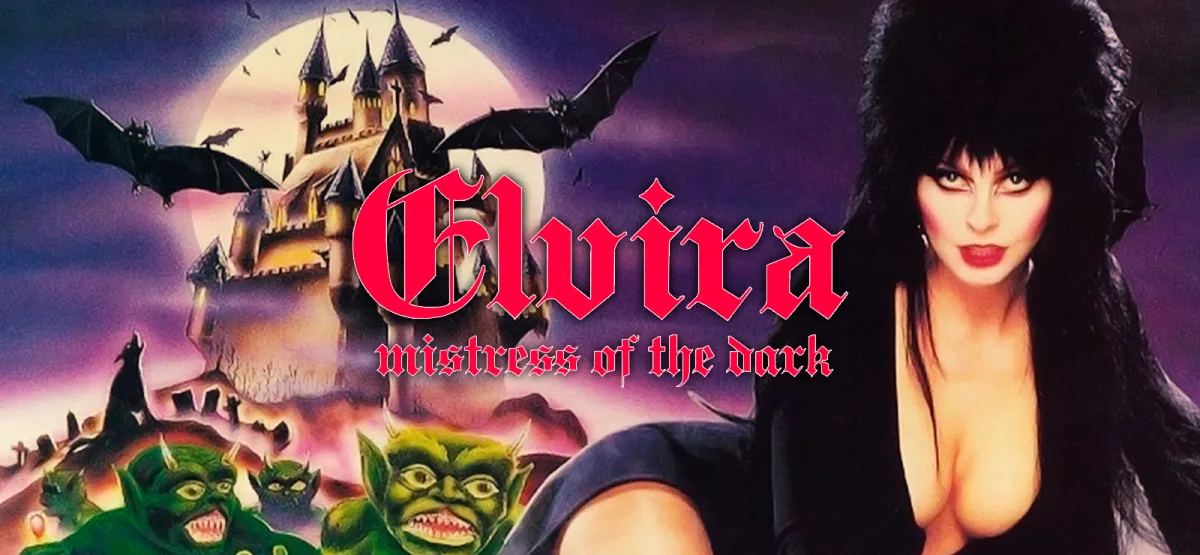
Elvira: Mistress of the Dark is a classic horror adventure game that blends dark humor, real-time combat, and puzzle-solving across a sprawling castle. If you enjoy campy frights and point-and-click exploration, this GOG installer gives you a direct way to install and play on Windows. The download is small—just 13.96 MB—so you can get started quickly.
About Elvira: Mistress of the Dark
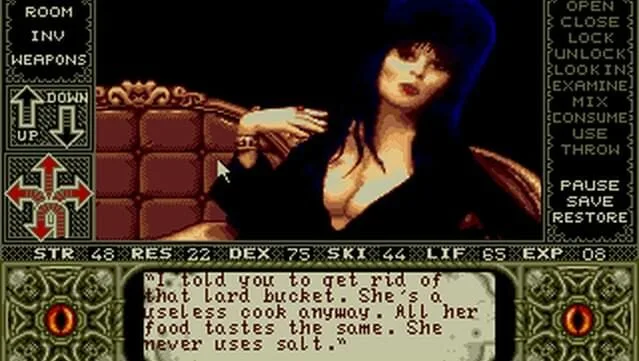
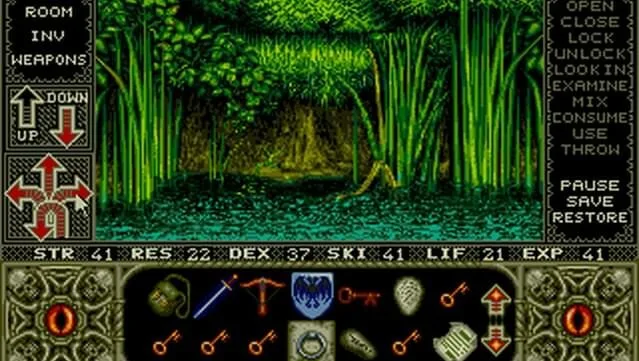
In this adventure, you assist Elvira in reclaiming her castle from the malevolent Queen Emelda. The game sets you loose in an expansive, eerie castle with over 800 rooms to explore. Your main goal is to track down a secret scroll that can thwart Emelda's resurrection. Along the way, you'll face more than 100 sinister foes in real-time combat, solve puzzles, and collect items. A spellbook lets you craft potions and fend off evil spirits. Digitized voices, a chilling soundtrack, and more than 300 unique objects to discover round out the experience. It's ideal for fans of campy horror and adventure games who enjoy a mix of laughs and frights.
Key Features
- Explore over 800 rooms in a large, spooky castle.
- Real-time combat against more than 100 enemies.
- Puzzle-solving and item collection with over 300 unique objects.
- Spellbook system for crafting potions and repelling evil spirits.
- Digitized voices and a chilling soundtrack.
- Dark humor and campy horror atmosphere.
Technical Specifications
| Attribute | Details |
|---|---|
| Version | GOG installer build (estimated current release; exact version not specified) |
| File Size | 13.96 MB |
| OS | Windows |
| Category | Adventure, Horror |
| License | Free |
| Developer | GOG Unlocked |
Download Elvira: Mistress of the Dark (13.96 MB)
Pros & Cons
- Pros:
- Large castle with over 800 rooms to explore.
- Mix of combat, puzzles, and item collection keeps gameplay varied.
- Digitized voices and atmospheric soundtrack.
- Small download size (13.96 MB) and simple installation.
- Cons:
- Real-time combat may feel dated to some players.
- Puzzle solutions can be obscure without a guide.
- Requires a DirectX 9 compatible graphics card.
System Requirements
- Windows 7 / 8 / 10
- 1.8 GHz processor
- 512 MB RAM
- 3D graphics card compatible with DirectX 9
- DirectX 9
- 1 GB available space
Installation Instructions
- Click the Download button below and you will be redirected to UploadHaven.
- Wait 5 seconds and click on the blue ‘download now’ button. We recommend using a download manager for faster download speeds. (You can use FDM which is free here, or any other download manager).
- Once the game is finished downloading, right click the .zip file and click on “Extract to Elvira: Mistress of the Dark.zip” (To do this you will need 7-Zip, which you can get here, or you can use the built in windows extractor).
- Double click inside the Elvira: Mistress of the Dark folder and run the setup application. Accept the EULA, and install the game. Then, launch the game through the desktop shortcut.
Trust Signals
This download is provided by GOG Unlocked. The file size is 13.96 MB, and the installer is a GOG build. The version number is not specified in the source, but it is estimated to be the current release. Always ensure you download from the official link provided. For support, you can visit the game's page on GOG. If you enjoy the game, consider purchasing it to support the developers.
Screenshots
You Might Also Like
If you enjoy dark-themed adventures, check out Dark Scrolls or Darkest Dungeon (v27628 & ALL DLC) for more eerie exploration.
Download Elvira: Mistress of the Dark (13.96 MB)
Reminder: This download is completely free and won't cost you a penny. However, if you love the game and want to purchase it, you can support the developers by doing so here.
Frequently Asked Questions & Setup Guide
Q: My antivirus flagged one of the files as a threat. Is this game safe?
A: Yes, all files on our site are 100% verified clean. Antivirus software may occasionally flag steam_api.dll or crack files as false positives due to modified game binaries. Temporarily whitelist the game directory before extracting.
Q: I get a missing DLL error (e.g., VCRUNTIME140.dll, MSVCP140.dll, or D3DCOMPILER). How do I fix it?
A: Missing DLL errors indicate missing Windows system libraries. Ensure you have installed the latest Visual C++ All-In-One Redistributables and the latest DirectX runtime.
Q: Where are my game save files located?
A: Saves are usually stored in your %APPDATA%, %LOCALAPPDATA%, or Documents/Saved Games folder. Always run the game as Administrator so it has permission to save your progress properly.
Q: Can I play online or multiplayer with friends?
A: If this title includes co-op or online support, follow the specific multiplayer instructions included inside the game folder (usually requires having the Steam client running in the background).