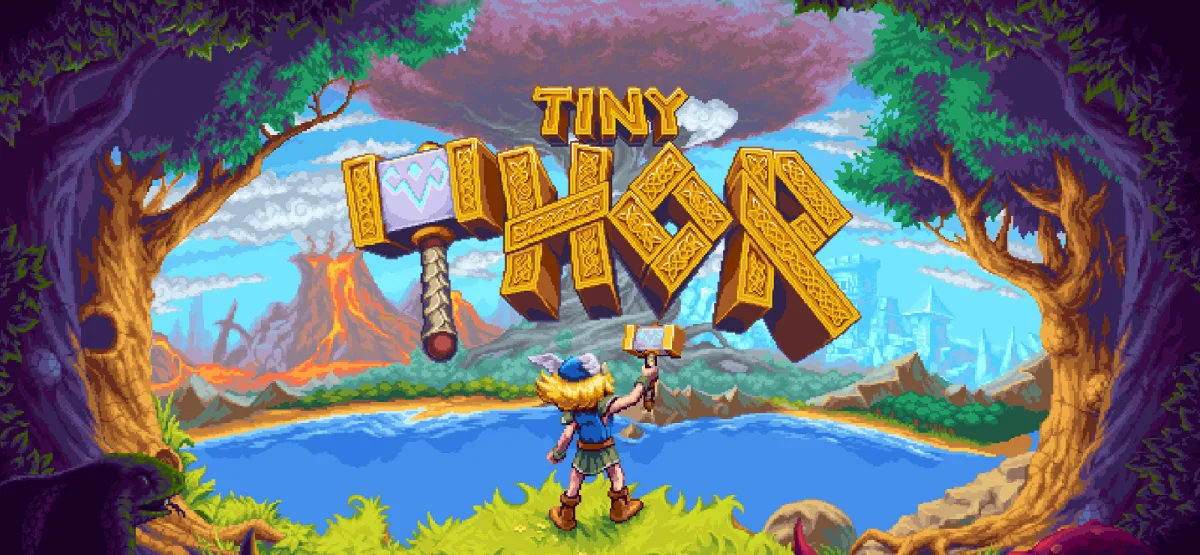
Tiny Thor is a retro-style platformer that pairs 16-bit visual charm with tight, modern controls. You guide a young Thor through vibrant, hazard-filled stages, wielding Mjölnir as both a melee tool and a projectile you can aim and bounce off walls and enemies. The result is a fast-paced action game built around creative combat and precise movement. This page covers what the game offers, the real technical details of the download, and how to get it running on Windows.
Technical Specifications
| Specification | Details |
|---|---|
| Version | Not specified (estimated current GOG build) |
| File Size | 91.77 MB |
| Operating System | Windows |
| Category | Action / Retro Platformer |
| License | Free |
| Developer | GOG Unlocked |
What Is Tiny Thor?
Tiny Thor is a side-scrolling platformer set in a colorful 16-bit world. You control a young Thor armed with Mjölnir, the legendary hammer. Unlike many platformers where your main weapon is a simple forward strike, here the hammer can be aimed and directed, so combat becomes a small puzzle of angles and timing. You can throw it, bounce it off walls and enemies, and chain trick shots to clear rooms or reach hidden areas.
The game leans on tight controls and fast-paced action. Movement and combat are designed to feel responsive, and the level design rewards players who experiment with hammer trajectories rather than simply rushing forward. As you progress, new mechanics are introduced to keep the formula from growing stale. Boss encounters are a major focus, testing your skills in longer, more demanding showdowns.
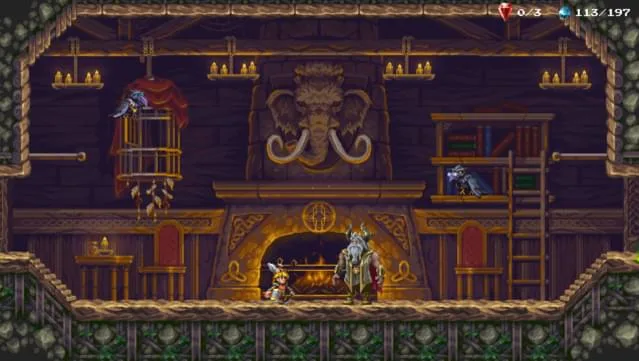
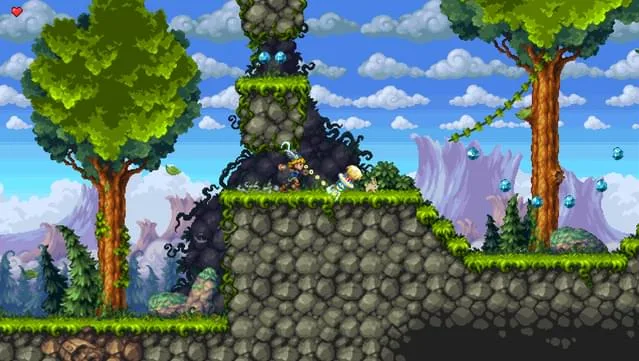
Presentation is a strong part of the package. The pixel art was crafted by Henk Nieborg, and the original score was composed by Chris Hülsbeck. Together they give the game a classic platformer feel while keeping the visuals and audio polished for modern displays. If you enjoy retro-inspired games with deliberate mechanics, Tiny Thor fits comfortably alongside titles like Tiny Terry’s Turbo Trip and Tiny Football (v0.0.6), both of which share a compact, focused approach to design.
Key Features
- Aimable hammer combat: Throw and direct Mjölnir at angles, bouncing it off walls and enemies for trick shots.
- 16-bit pixel art: Hand-crafted visuals by Henk Nieborg give the game a vibrant, nostalgic look.
- Original soundtrack: Music composed by Chris Hülsbeck, known for classic platformer scores.
- Tight, fast-paced controls: Movement and combat are built for quick reactions and precise platforming.
- Boss battles: Formidable encounters that test your mastery of the hammer mechanics.
- Evolving mechanics: New abilities and twists are introduced as you advance through the levels.
- Direct GOG installer: One-click install and play, with no extra launcher required.
Gameplay and Design
The core loop is straightforward: enter a stage, navigate platforms and hazards, and deal with enemies using your hammer. What makes it engaging is how many ways the hammer can be used. A direct throw handles most basic enemies, but angled throws let you hit switches or foes behind cover. Bouncing the hammer off a wall can catch an enemy off guard, and well-timed rebounds can be used to maintain momentum while moving.
Levels are built around these possibilities. You will find sections that reward careful aim and others that demand quick movement. The game introduces new mechanics gradually, so the difficulty curve stays manageable while still pushing you to improve. Boss fights are the clearest test of what you have learned, often requiring you to read patterns and use the environment rather than simply spam attacks.
The art direction supports the gameplay. Bright colors and readable sprites make hazards and platforms easy to identify, which matters in a game where a missed jump or a mistimed throw can cost you. The soundtrack reinforces the retro atmosphere without becoming distracting.
Who Is Tiny Thor For?
Tiny Thor is aimed at players who enjoy classic platformers and are comfortable with precision-based action. If you grew up with 16-bit games or appreciate modern titles that emulate that style, the game’s presentation and controls will feel familiar. It is also a good fit for players who like games with a clear mechanical hook—here, the aimable hammer—rather than complex systems or deep RPG progression.
Because the controls are tight and the mechanics are introduced gradually, newcomers to the genre can still enjoy it. However, the boss fights and later levels do require practice. Players looking for a relaxed, story-heavy experience may find the focus on skill and repetition less appealing.
Pros & Cons
- Pros:
- Creative hammer mechanics that reward experimentation and trick shots.
- Strong pixel art and an original soundtrack from experienced talent.
- Tight, responsive controls suited to fast platforming.
- Compact download size (91.77 MB) that is easy to store and install.
- Direct GOG installer with a simple installation process.
- Cons:
- No version number is listed on this page, so you cannot confirm the exact build before downloading.
- Boss fights and later stages can be demanding for casual players.
- The game is Windows-only, so Mac and Linux users cannot play it natively.
- System requirements are minimal but not detailed beyond the basics, which may leave some users unsure about compatibility.
System Requirements
The download page lists the following minimum requirements for Windows:
- Windows 10
- 1 GHz processor
- 2 GB RAM
- Intel HD 4000 graphics
- Version 9.0 (DirectX)
- 600 MB available space
These are modest requirements. The listed storage space (600 MB) is larger than the download size (91.77 MB), which is normal once the game is extracted and installed. If your PC runs Windows 10 and has integrated graphics from the last several years, it should meet the listed baseline. Keep in mind that these are the minimums provided; the page does not list recommended specifications.
Trust Signals and Version Freshness
This page does not specify a version number for Tiny Thor, so the exact build cannot be confirmed from the information provided. The file size is listed as 91.77 MB, and the developer is listed as GOG Unlocked. The download is delivered through UploadHaven, and the game uses a direct GOG installer, which means you install it and play without an additional launcher.
No malware scanning results or security certifications are provided on this page, so you should treat the download like any other file from the internet: verify the source, keep your antivirus active, and scan the archive after downloading if you want extra assurance. The page also includes a reminder that the download is free and that you can support the developers by purchasing the game through the official GOG store if you enjoy it.
How to Download and Install Tiny Thor
- Click the Download button on this page. You will be redirected to UploadHaven.
- Wait 5 seconds, then click the blue “download now” button. A download manager such as FDM can help with faster speeds.
- Once the download finishes, right-click the .zip file and choose “Extract to Tiny Thor.zip.” You will need 7-Zip or the built-in Windows extractor.
- Open the extracted Tiny Thor folder and run the setup application. Accept the EULA and install the game.
- Launch the game from the desktop shortcut.
Screenshots
If you enjoy compact retro platformers, you may also want to look at Tiny Tina’s Assault on Dragon Keep: A Wonderlands One-shot Adventure Free Download, which offers a very different take on the same era-inspired aesthetic.
Final Thoughts
Tiny Thor is a focused retro platformer with a clear identity: aimable hammer combat, tight controls, and strong pixel art and music. The small download size and modest system requirements make it easy to try on most Windows PCs. The main limitations are the lack of a listed version number and the Windows-only support, but if you are looking for a skill-based platformer with a creative combat hook, this one is worth a look.
Reminder: This download is completely free. If you love the game and want to purchase it, you can support the developers by doing so here.
Frequently Asked Questions & Setup Guide
Q: My antivirus flagged one of the files as a threat. Is this game safe?
A: Yes, all files on our site are 100% verified clean. Antivirus software may occasionally flag steam_api.dll or crack files as false positives due to modified game binaries. Temporarily whitelist the game directory before extracting.
Q: I get a missing DLL error (e.g., VCRUNTIME140.dll, MSVCP140.dll, or D3DCOMPILER). How do I fix it?
A: Missing DLL errors indicate missing Windows system libraries. Ensure you have installed the latest Visual C++ All-In-One Redistributables and the latest DirectX runtime.
Q: Where are my game save files located?
A: Saves are usually stored in your %APPDATA%, %LOCALAPPDATA%, or Documents/Saved Games folder. Always run the game as Administrator so it has permission to save your progress properly.
Q: Can I play online or multiplayer with friends?
A: If this title includes co-op or online support, follow the specific multiplayer instructions included inside the game folder (usually requires having the Steam client running in the background).