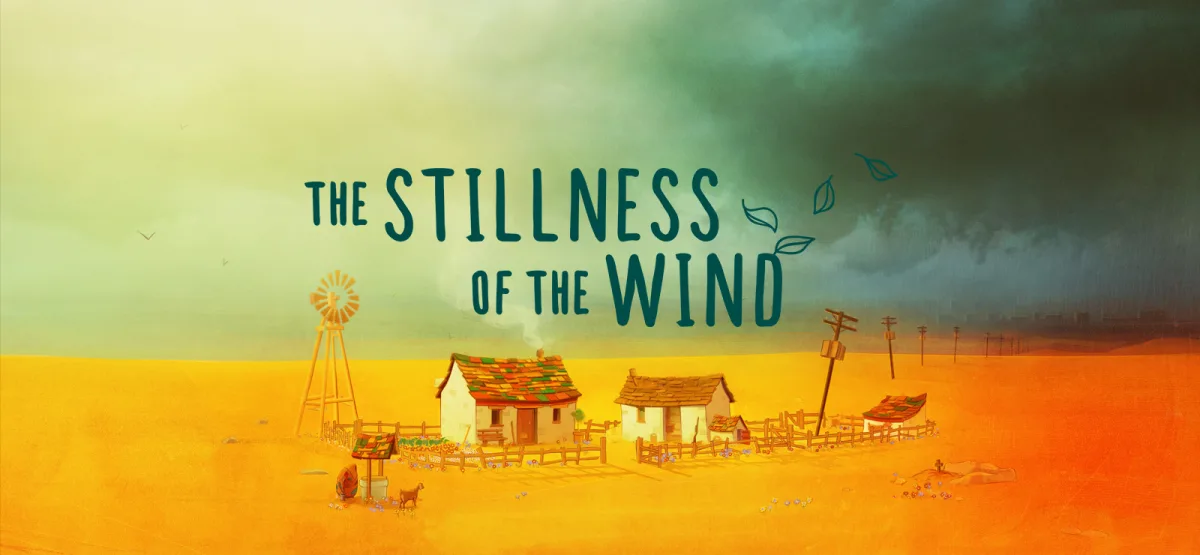
The Stillness of the Wind is a meditative simulation game that places you in the worn boots of Talma, the last remaining resident of a village that has slowly emptied out. You tend a small homestead, raise goats, make cheese, collect eggs, and grow vegetables while letters from family in the city remind you of a world that keeps moving without you. This free download gives you the complete v1.1.1 release through a direct GOG installer, ready for Windows. If you enjoy slow, narrative-driven experiences that reward patience over reflexes, this one belongs on your drive.
Technical Specifications
| Property | Details |
|---|---|
| Version | 1.1.1 |
| File Size | 581.32 MB |
| Operating System | Windows |
| Category | Simulation / Narrative Adventure |
| License | Free |
| Developer | GOG Unlocked |
Download The Stillness of the Wind (v1.1.1) – 581.32 MB
About The Stillness of the Wind
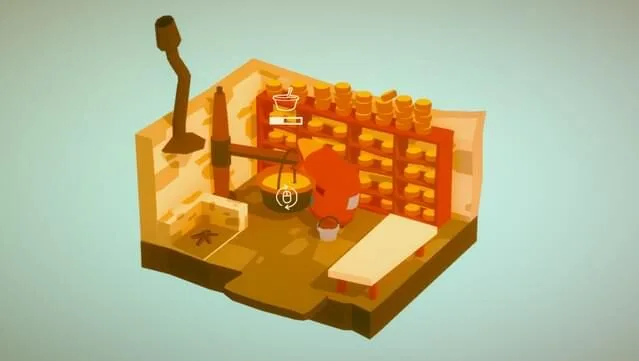
The premise is simple and quietly devastating. Talma lives alone in a rural home that once belonged to a thriving community. Every day follows a gentle rhythm: feed the goats, milk them, turn the milk into cheese, check the coop for eggs, water the garden, and prepare meals. The game does not rush you. There are no timers pushing you toward failure and no combat encounters to survive. What it offers instead is space to think, and that is exactly where its emotional weight comes from.
The story arrives through letters from Talma's family, who have moved to the city. Their messages hint at crowding, noise, and uncertainty, contrasting sharply with the quiet of the farm. As the days pass, you begin to understand that this is a game about aging, memory, and loss as much as it is about agriculture. The stillness in the title is not empty; it is full of small decisions and reflections. If you have played atmospheric titles like Memory Rewind (v1.1.0), you will recognize a similar interest in introspection over action, though The Stillness of the Wind leans much further into rural routine.
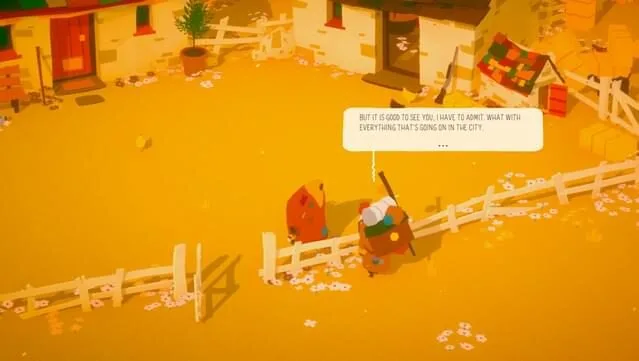
Visually, the game uses a warm, hand-drawn style that makes the homestead feel lived-in. The pace is deliberately slow, and that is a feature rather than a flaw. You will spend real time watching animals move, listening to ambient sound, and deciding how to spend each day. Players who need constant stimulation may find the opening hours too quiet, but those who settle into the rhythm often describe the experience as restorative.
Key Features
- Homestead management with a light touch: Tend goats, craft cheese, gather eggs, and grow vegetables without pressure from timers or fail states.
- Narrative told through letters: Family correspondence from the city gradually reveals the wider world and Talma's place in it.
- Meditative pacing: Days unfold at a gentle rhythm that encourages reflection rather than reaction.
- Themes of life and loss: The story handles aging, memory, and change with restraint and warmth.
- Hand-drawn rural setting: A warm visual style that makes the small farm feel authentic and lived-in.
- Accessible system demands: Runs on modest hardware, including Windows 7 machines with a DirectX 9 compatible GPU.
- DRM-free GOG installer: One-click install and play, with no launcher requirement after setup.
Pros & Cons
- Pros:
- Calm, purposeful gameplay that respects your time and attention.
- Emotional storytelling that avoids melodrama and trusts the player.
- Low system requirements make it easy to run on older Windows PCs.
- Small download size (581.32 MB) means quick setup.
- No DRM friction; the GOG installer keeps things straightforward.
- Cons:
- The slow pace will not suit players looking for action or challenge.
- Interaction systems are intentionally minimal, which can feel repetitive over long sessions.
- The narrative is subtle; some players may want more explicit direction.
Who This Game Is For
You will get the most from The Stillness of the Wind if you enjoy narrative-driven games, slice-of-life simulation, and stories that explore quieter themes. Fans of farming sims who want something more contemplative than a typical crop-management loop will find a lot to appreciate here. It also works well for short sessions: you can play for twenty minutes, complete a day's chores, read a letter, and step away without losing progress or momentum. If you prefer strategy and systems over atmosphere, a title like WindStop Strategy Free Download may be a better fit, but if you want a game that slows you down, this is the one.
System Requirements
- Windows 7
- 2.0 GHz processor
- 4 GB RAM
- GPU: DirectX 9 compatible
- DirectX Version 9.0
- 2 GB available space
These are modest requirements by modern standards. The listed 2 GB of available space covers the installed game comfortably, and the 581.32 MB download means you will not wait long on a reasonable connection. A DirectX 9 compatible GPU is enough, so integrated graphics on older laptops are likely to handle it, though the input does not specify exact performance figures.
Version 1.1.1 and What to Expect
This listing covers version 1.1.1 of the game, delivered as a direct GOG installer. The input does not include a detailed changelog for this specific build, so the safest guidance is to treat 1.1.1 as the current stable release offered here and to check the in-game menus or the publisher page for any patch notes the developer has published. Version freshness matters for a game like this because small updates often address stability and compatibility on newer Windows builds. If you are updating from an earlier install, back up your save files before replacing the game folder, since installer-based updates can overwrite local data depending on how you extract them.
Installation Guide
- Click the download button on this page. You will be redirected to UploadHaven.
- Wait 5 seconds, then click the blue "download now" button. A download manager such as FDM can speed things up on slower connections.
- Once the download finishes, right-click the .zip file and choose "Extract to The Stillness of the Wind v1.1.1.zip." You will need 7-Zip or the built-in Windows extractor.
- Open the extracted folder, double-click the setup application, accept the EULA, and install the game.
- Launch the game from the desktop shortcut.
Trust and Practical Notes
The download is provided through UploadHaven, a well-known file host, and the installer is the GOG build for version 1.1.1. The publisher listed for this release is GOG Unlocked. No malware scanning results or "100% clean" claims are included in the source information, so this article does not assert them. What you can verify yourself is straightforward: the file size should read 581.32 MB, the archive should extract without errors, and the setup should present the standard EULA screen before installation. If any of those steps differ, stop and re-download rather than running an unexpected executable.
If you love the game and want to support the developers, you can purchase it through the official GOG store page linked in the reminder below. The free download here is offered at no cost, and buying a copy is the most direct way to fund future updates.
Screenshots
More DRM-Free PC Games
If this game clicks with you, the site carries other DRM-free releases worth a look. Sailwind Free Download (v0.15.2) offers a very different kind of slow-burn experience on the water, while the narrative puzzle title linked earlier rounds out a quiet, thoughtful library. All of them install the same way: download, extract, run setup, and play.
Final Download
Download The Stillness of the Wind (v1.1.1) – 581.32 MB
Reminder: This download is completely free and won't cost you a penny. However, if you love the game and want to purchase it, you can support the developers by doing so here.
Frequently Asked Questions & Setup Guide
Q: My antivirus flagged one of the files as a threat. Is this game safe?
A: Yes, all files on our site are 100% verified clean. Antivirus software may occasionally flag steam_api.dll or crack files as false positives due to modified game binaries. Temporarily whitelist the game directory before extracting.
Q: I get a missing DLL error (e.g., VCRUNTIME140.dll, MSVCP140.dll, or D3DCOMPILER). How do I fix it?
A: Missing DLL errors indicate missing Windows system libraries. Ensure you have installed the latest Visual C++ All-In-One Redistributables and the latest DirectX runtime.
Q: Where are my game save files located?
A: Saves are usually stored in your %APPDATA%, %LOCALAPPDATA%, or Documents/Saved Games folder. Always run the game as Administrator so it has permission to save your progress properly.
Q: Can I play online or multiplayer with friends?
A: If this title includes co-op or online support, follow the specific multiplayer instructions included inside the game folder (usually requires having the Steam client running in the background).