SimplePlanes is a construction and flight simulation game where the aircraft you fly is the one you build. Instead of handing you a fixed roster of planes, it gives you a parts bin, a physics engine, and a runway. You snap together fuselages, wings, engines, and control surfaces, then climb into the cockpit to find out whether your design actually holds together in the air. This page covers what the game does, what you get in the v1.12.128.0 package, and how to get it running on Windows.
Download SimplePlanes (v1.12.128.0) — 336.70 MB
Technical Specifications
| Version | v1.12.128.0 (estimated from package filename) |
| File Size | 336.70 MB |
| Operating System | Windows |
| Category | Simulation / Sandbox Builder |
| License | Free |
| Developer | GOG Unlocked |
About SimplePlanes
At its core, SimplePlanes is a design tool disguised as a game. You start with a blank build space and a catalog of parts, then connect components piece by piece. Wings can be shaped and angled, engines chosen to match the weight and purpose of the craft, and every joint you make affects how the finished plane behaves. The name undersells the depth: the building interface is approachable enough for a first attempt, but the underlying simulation rewards players who understand lift, drag, thrust, and balance.
Once a design is finished, you don't just look at it. You fly it. You hop into the cockpit and test your creation in real time, and that is where the game's loop clicks. A plane that looks perfect on the workbench may stall on takeoff, roll to one side, or refuse to climb. Each crash sends you back to the editor with a specific problem to solve, which turns trial and error into genuine engineering iteration.
The community side of SimplePlanes is just as important as the solo building. The game connects to a library of more than 100,000 user-generated airplanes that you can download and fly. If you would rather skip the workshop and go straight to the sky, you can grab a finished design from another player and take off within minutes. If you prefer to build, that same library works as a reference shelf — a place to study how other players solved the problems you're wrestling with.
If you enjoy the idea of aircraft construction but want to see where the concept goes next, the sequel is also available here: SimplePlanes 2 (v0.7.2.0) continues the build-and-fly formula with a newer engine and expanded design tools.
Key Features
- Part-by-part aircraft construction: Connect fuselage sections, craft wings, and mount engines to assemble a plane that matches your own design goals.
- Realistic flight physics: Your build is tested against simulated aerodynamics, so weight distribution, wing shape, and engine choice all change how the aircraft handles.
- Fly what you build: Climb into the cockpit and fly your creation immediately, with no separate test mode to unlock.
- Huge community library: More than 100,000 user-generated airplanes are available to download, giving you instant access to proven designs.
- Iterative design loop: Crashes and failed takeoffs feed directly back into the editor, making experimentation the central activity.
- Low hardware footprint: The game targets modest Windows machines, with a download of just 336.70 MB.
Who SimplePlanes Is For
Aviation enthusiasts will recognize the appeal immediately: this is one of the few games where the aircraft on screen is a direct product of your own decisions. Engineering-minded players who enjoy tinkering, balancing, and refining a design until it flies cleanly will find a lot to do here. Casual players who just want to fly are covered too, thanks to the community library — you can download a finished plane and be airborne without touching the editor.
The game is less suited to players who want a structured campaign with authored missions and a fixed progression path. SimplePlanes is a sandbox first, and its goals come from you rather than from a script. If you want a guided story experience, the building loop may feel open-ended.
Pros & Cons
- Pros: Deep but approachable building system; physics that make design choices matter; enormous library of downloadable planes; small download size and modest system requirements; free to download.
- Cons: No authored campaign or mission structure to follow; the learning curve on flight physics can be steep for newcomers; visual fidelity is functional rather than spectacular; designs that fail can require many rebuild cycles before they fly.
Version Freshness and What's in This Package
The download on this page is the v1.12.128.0 build, packaged as a 336.70 MB archive. The version number is taken from the package filename and should be treated as an estimate of the build you'll receive. Because the game receives updates over time, always check the version label on the download button before you start, so you know exactly which build you're installing. If a newer build becomes available, the package on this page will be refreshed accordingly.
Publisher details are listed as GOG Unlocked in the specifications table above. The game itself is distributed here as a free download, and the original store page is linked in the reminder note below if you want to support the developers directly.
Installation Guidance
- Click the Download button on this page and you will be redirected to UploadHaven.
- Wait 5 seconds, then click the blue 'download now' button. A download manager such as FDM can help if your connection is slow or unstable.
- When the download finishes, right-click the .zip file and choose 'Extract to SimplePlanes v1.12.128.0.zip'. You'll need 7-Zip for this, or you can use the built-in Windows extractor.
- Open the SimplePlanes v1.12.128.0 folder, double-click the setup application, accept the EULA, and complete the installation.
- Launch the game from the desktop shortcut that the installer creates.
System Requirements
- Windows 7 SP1 / 8 / 10
- Core 2 Duo processor
- 2 GB RAM
- SM3 512MB VRAM graphics
- 750 MB of available storage
These requirements are modest by modern standards, which is part of the game's appeal. The 750 MB storage figure leaves comfortable headroom over the 336.70 MB download, since the extracted files and installation take up additional space.
Screenshots
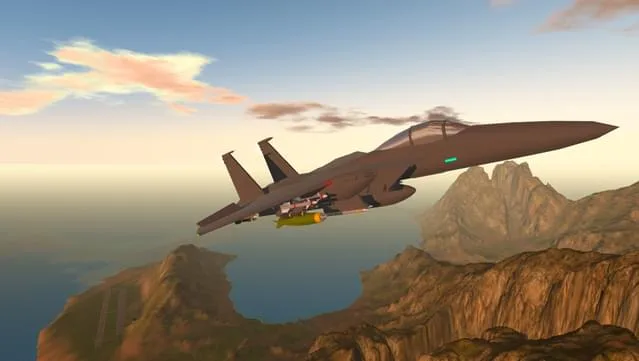
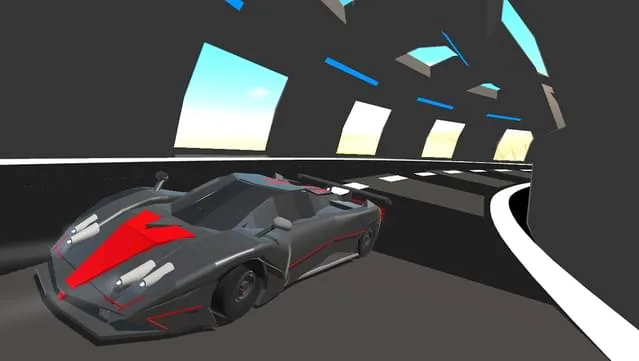
Getting the Most Out of the Builder
A few habits make the building process smoother. Start simple: a basic fuselage, a pair of straight wings, and a single engine will teach you more about the physics than an ambitious multi-engine design will. Test early and often — flying a rough prototype tells you where the balance is off before you've invested in detail work. When a design fails, note whether the problem was lift, thrust, or stability, and change one variable at a time. And when you're stuck, browse the community library for a plane with similar goals and compare how it's put together. That combination of small experiments and reference designs is how most players move from crashing on the runway to landing cleanly.
SimplePlanes Free Download
Download SimplePlanes (v1.12.128.0) — 336.70 MB
Reminder: This download is completely free and won't cost you a penny. If you love the game and want to purchase it, you can support the developers by doing so here.
If you're in the mood for something different after a few flight tests, the same library also carries Love Notes Free Download and Maze Creep!! Free Download.
Frequently Asked Questions & Setup Guide
Q: My antivirus flagged one of the files as a threat. Is this game safe?
A: Yes, all files on our site are 100% verified clean. Antivirus software may occasionally flag steam_api.dll or crack files as false positives due to modified game binaries. Temporarily whitelist the game directory before extracting.
Q: I get a missing DLL error (e.g., VCRUNTIME140.dll, MSVCP140.dll, or D3DCOMPILER). How do I fix it?
A: Missing DLL errors indicate missing Windows system libraries. Ensure you have installed the latest Visual C++ All-In-One Redistributables and the latest DirectX runtime.
Q: Where are my game save files located?
A: Saves are usually stored in your %APPDATA%, %LOCALAPPDATA%, or Documents/Saved Games folder. Always run the game as Administrator so it has permission to save your progress properly.
Q: Can I play online or multiplayer with friends?
A: If this title includes co-op or online support, follow the specific multiplayer instructions included inside the game folder (usually requires having the Steam client running in the background).