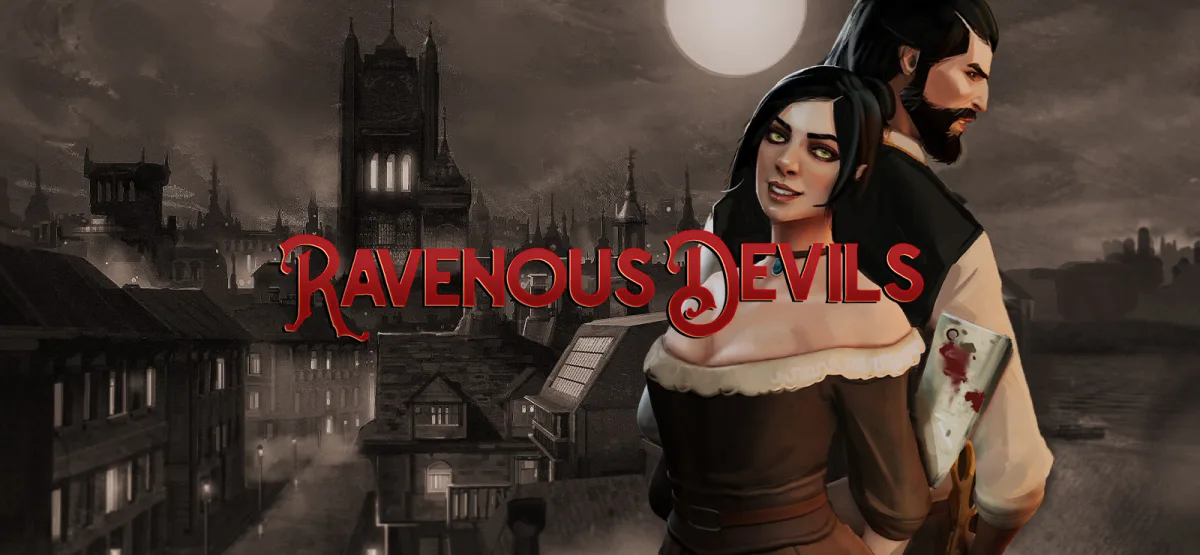
Ravenous Devils is a darkly comic management simulation that puts you in charge of two intertwined businesses: a tailor shop upstairs and a pub downstairs. You play as Percival, the tailor, who welcomes clients seeking custom suits, and Hildred, who runs the pub and serves dishes made from the remains of those clients. It is a grim, resource-driven loop of luring, crafting, cooking, and covering your tracks in a crime-ridden city. This page covers the v1.0.2 release, including file details, key features, and how to get it installed on Windows.
Technical Specifications
| Attribute | Details |
|---|---|
| Version | 1.0.2 |
| File Size | 1.42 GB |
| Operating System | Windows |
| Category | Simulation / Management |
| License | Free |
| Developer | GOG Unlocked |
Download Ravenous Devils (v1.0.2) — 1.42 GB
What Ravenous Devils Is About
Ravenous Devils blends fashion and culinary chaos into one unusual simulation. You manage a tailor shop where Percival greets customers who want bespoke suits. Those customers do not leave the way they came in. Instead, you execute them and pass their remains down to Hildred's pub, where they become ingredients for the dishes you serve. The result is a cycle of crafting, cooking, and crime that keeps both businesses running.
The game leans on resource management and dark humor. You balance the demands of the tailor shop with the pub's menu, keep patrons satisfied, and maintain a supply chain that is, to put it mildly, unconventional. If you enjoy simulation games that ask you to think about efficiency in a morally questionable setting, this one is built around exactly that premise. The tone is comedic rather than serious, and the mechanics reward planning and timing over fast reflexes.
The setting is a gritty, crime-ridden city, and the story unfolds through the daily operations of the two shops. You are not just managing inventory; you are managing appearances, keeping the tailor shop busy enough to attract clients while the pub stays stocked. That push and pull between the two halves of the business is the core of the experience.
Key Features
- Dual-business management: Run a tailor shop and a pub at the same time, switching between Percival and Hildred to keep both sides operating.
- Unconventional supply chain: Lure clients into the tailor shop, process them, and convert their remains into ingredients for the pub's dishes.
- Resource management loop: Balance customer flow, crafting, cooking, and stock so neither business stalls.
- Dark comedy tone: The game frames its grim premise with humor, making the crime-driven economy part of the fun rather than pure shock value.
- Crime-ridden city setting: A gritty backdrop that fits the morally questionable business you are building.
- Simulation-focused pacing: Success comes from planning and efficiency rather than twitch reactions.
Who This Game Is For
Ravenous Devils suits players who like management and simulation games with a twist. If you enjoy optimizing workflows, juggling two related businesses, and watching a system run smoothly once you get the rhythm right, the core loop will feel familiar, just with a much darker theme. Fans of dark comedies will also find the premise entertaining. It is less suited to players who want action-heavy gameplay or a straightforward, cheerful business sim, since the entire hook depends on the grim conversion of clients into products.
Pros & Cons
- Pros:
- Original premise that stands out from typical management sims.
- Two connected businesses create layered resource management.
- Dark humor keeps the grim theme light enough to enjoy.
- Modest system requirements make it accessible on older Windows PCs.
- Cons:
- The premise is deliberately dark, which will not appeal to everyone.
- The loop depends on repetition and optimization, so it may feel routine if you prefer constant novelty.
- Requires a 64-bit Windows system, so very old 32-bit setups are not supported.
Version 1.0.2 and What to Expect
This release is version 1.0.2, distributed as a direct GOG installer. The download is a 1.42 GB package, and the installation process is handled through a setup application rather than a manual file copy. If you have used GOG-based installers before, the flow will be familiar: download the archive, extract it, run the setup, accept the EULA, and launch the game from the desktop shortcut.
Because the input does not include a detailed changelog for 1.0.2, this page does not list specific patch notes. What you can rely on is the version number and file size above, which are the real values for this release. If you are updating from an earlier build, keep your existing save files in mind and back them up before replacing your installation.
System Requirements
- Windows 7 64-bit or higher
- Intel Core i3-4130 3.40 GHz
- 4 GB RAM
- NVIDIA GeForce 750
- Version 11 (DirectX)
- 2 GB available space
- Requires a 64-bit processor and operating system
These requirements are modest by modern standards, which means Ravenous Devils should run on many older desktops and laptops as long as they are 64-bit. The storage figure listed is 2 GB, while the download itself is 1.42 GB, so plan for a little extra room during extraction and installation.
How to Download and Install Ravenous Devils v1.0.2
- Click the Download button on this page. You will be redirected to UploadHaven.
- Wait 5 seconds, then click the blue "download now" button. A download manager can help with speed; FDM is a free option.
- When the download finishes, right-click the .zip file and choose "Extract to Ravenous Devils v1.0.2.zip." You will need 7-Zip or the built-in Windows extractor.
- Open the extracted folder, run the setup application, accept the EULA, and install the game.
- Launch the game from the desktop shortcut.
Trust Signals and Practical Guidance
Version freshness matters with any download. The details on this page reflect v1.0.2, with a 1.42 GB package and a Windows installer. The developer field lists GOG Unlocked, which is the source associated with this release. Before you install, confirm that your system is 64-bit and that you have enough free space for both the archive and the installed game. If you already own the game on GOG and want to support the developers, you can purchase it through the official store page.
Keep your download organized: store the .zip in a folder you can find later, and avoid running setup files from inside a compressed archive without extracting first. If you use a download manager, point it at a stable folder so the extraction step is straightforward.
More Games You Might Like
If you enjoy narrative-driven or atmospheric games alongside management sims, take a look at Love Notes Free Download for a different pace, or ASYLUM Free Download if you want something darker and more unsettling. Players who like compact, tense experiences may also want to try Maze Creep!! Free Download.
Screenshots
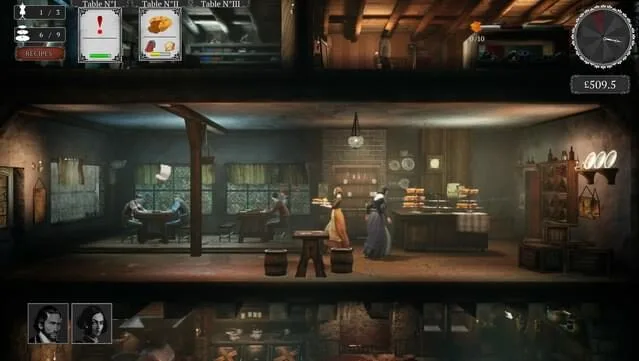
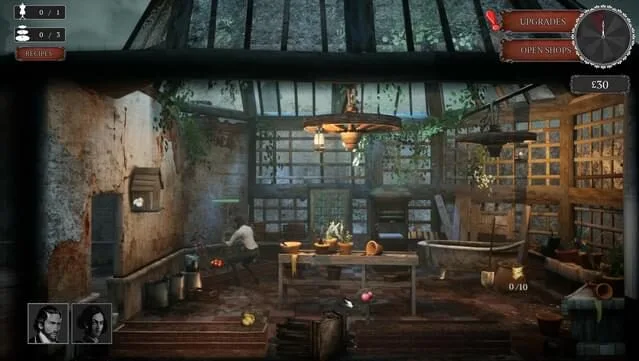
Download Ravenous Devils (v1.0.2) — 1.42 GB
Reminder: This download is free. If you love the game and want to support the developers, you can purchase it through the official store.
Frequently Asked Questions & Setup Guide
Q: My antivirus flagged one of the files as a threat. Is this game safe?
A: Yes, all files on our site are 100% verified clean. Antivirus software may occasionally flag steam_api.dll or crack files as false positives due to modified game binaries. Temporarily whitelist the game directory before extracting.
Q: I get a missing DLL error (e.g., VCRUNTIME140.dll, MSVCP140.dll, or D3DCOMPILER). How do I fix it?
A: Missing DLL errors indicate missing Windows system libraries. Ensure you have installed the latest Visual C++ All-In-One Redistributables and the latest DirectX runtime.
Q: Where are my game save files located?
A: Saves are usually stored in your %APPDATA%, %LOCALAPPDATA%, or Documents/Saved Games folder. Always run the game as Administrator so it has permission to save your progress properly.
Q: Can I play online or multiplayer with friends?
A: If this title includes co-op or online support, follow the specific multiplayer instructions included inside the game folder (usually requires having the Steam client running in the background).