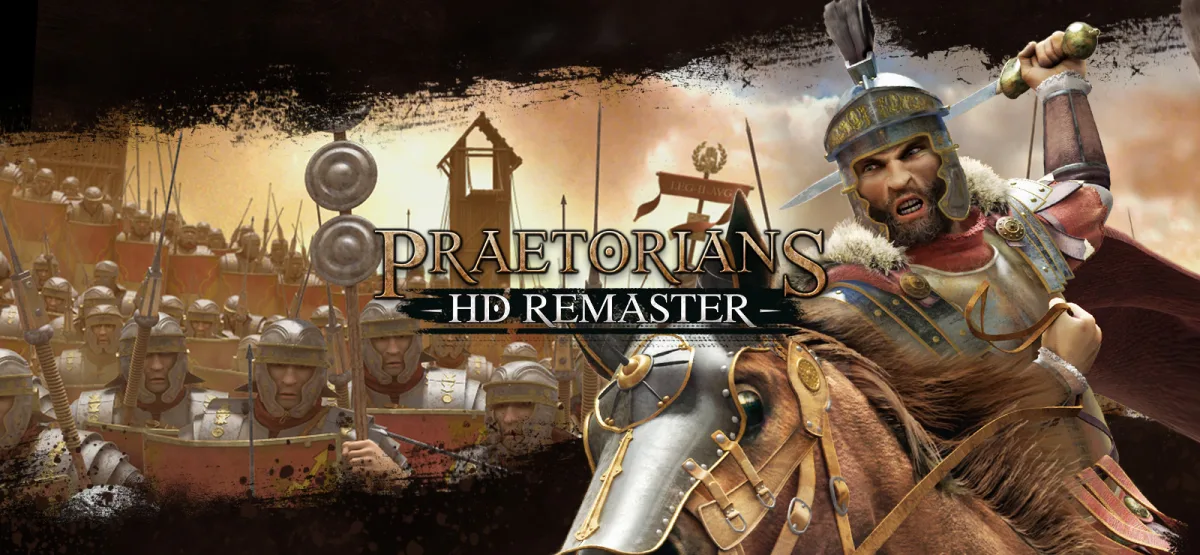
Praetorians - HD Remaster brings a well-loved real-time strategy classic back to modern PCs with updated visuals and the same terrain-driven tactical combat that made the original stand out. You command one of three armies — the Gauls, the Egyptians, or the Roman Legions — across more than 20 campaign missions set in Egypt, Gaul, and Italy. If you enjoy historical strategy where positioning, formations, and unit abilities matter more than raw numbers, this is a straightforward pick-up-and-play package delivered through a direct GOG installer.
This page covers what the game actually offers, the real technical specifications, and how to get it installed on a 64-bit Windows system. You'll also find a few honest tradeoffs so you know exactly what you're downloading before you start.
Download Praetorians – HD Remaster
Download Praetorians - HD Remaster
Size: 1.54 GB
Technical Specifications
| Version | HD Remaster (exact build number not published; estimated as the current HD Remaster release) |
| File Size | 1.54 GB |
| Operating System | Windows (64-bit) |
| Category | Real-Time Strategy / Historical Strategy |
| License | Free download |
| Developer / Publisher Listing | GOG Unlocked |
What Praetorians – HD Remaster Actually Is
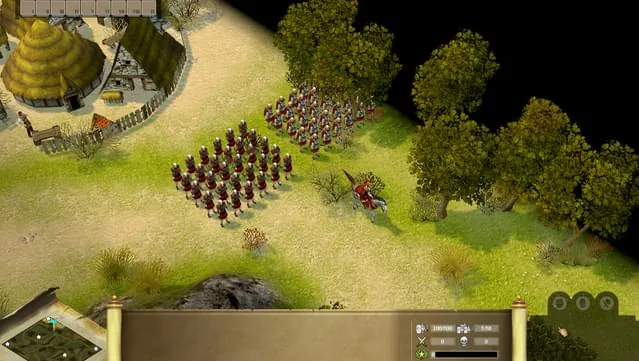
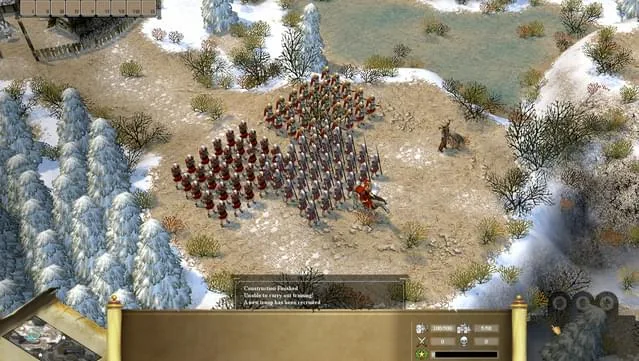
Praetorians is a real-time strategy game built around ancient warfare during the rise of the Roman Empire. Instead of managing sprawling economies, you focus on the battlefield: reading the terrain, choosing the right formation, and deploying each unit type's unique abilities at the right moment. The HD Remaster keeps that core intact and updates the presentation for modern displays.
The campaign stretches across three theaters — Egypt, Gaul, and Italy — with over 20 missions. Each faction plays differently. The Roman Legions lean on discipline and organized formations, the Gauls bring aggressive melee pressure, and the Egyptians offer their own tactical toolkit. Switching between armies changes how you approach the same maps, which adds replay value beyond a single campaign run.
Terrain is a genuine factor here. High ground, chokepoints, and elevation influence how engagements play out, so scouting and positioning often decide battles before the first unit engages. If you've enjoyed other remastered strategy and action titles on the site, such as The Thing: Remastered (v1.1.1618.1391), you'll recognize the same approach of preserving a classic while tightening the presentation.
Key Features
- Three playable armies: Command the Gauls, Egyptians, or Roman Legions, each with distinct strengths and tactical advantages.
- 20+ campaign missions: Fight across Egypt, Gaul, and Italy in a structured historical campaign.
- Terrain-driven combat: Use elevation and chokepoints to gain the upper hand in real time.
- Unit formations: Craft and adjust formations to match the situation instead of relying on brute force.
- Unique unit abilities: Each unit type has tailored abilities that reward smart timing.
- Political and strategic layers: Navigate the complex landscape of the rising Roman Empire as you progress.
- HD remastered visuals: Updated graphics designed for modern displays.
- Direct GOG installer: One-click install and play, no launcher required.
Pros & Cons
- Pros: Deep tactical combat that rewards positioning over unit spam; three factions with genuinely different playstyles; a substantial campaign with 20+ missions; light on hardware demands; simple GOG-based installation.
- Cons: It is a remaster of an older RTS, so the core mechanics and mission design reflect the original era rather than modern RTS conventions; the exact build number isn't published, so you can't verify a specific patch level from the listing; there's no multiplayer or DLC information provided here, so check the official store page if those matter to you.
Who This Is For
You'll get the most out of Praetorians – HD Remaster if you like historical real-time strategy where battles are decided by formations and terrain rather than base-building races. Fans of Roman-era settings, tactical campaign progression, and faction variety will find a lot to work with. If you prefer modern RTS conveniences like extensive skirmish customization or large-scale multiplayer, treat this as a classic-style experience and set expectations accordingly.
The game also runs comfortably on modest hardware, which makes it a good fit for older desktops and laptops that still meet the 64-bit requirement.
System Requirements
- 64-bit Windows 7 or higher
- Intel Core i3-3220 (dual-core with at least 3.3 GHz)
- 4 GB RAM
- 2 GB dedicated VRAM, e.g., NVIDIA GeForce GT640
- DirectX version 11
- 3 GB available disk space
- Requires a 64-bit processor and operating system
Note that the download itself is 1.54 GB, while the listed requirement asks for 3 GB of free space — plan for the larger figure so extraction and installation have room to complete.
Version Freshness and Publisher Details
The listing identifies the developer/publisher entry as GOG Unlocked and delivers the files through a direct GOG installer. The specific build number is not published on this page, so the version field above is marked as an estimate rather than a confirmed number. If a precise patch level matters to you, cross-check the official store listing before installing.
Because this is a remaster of a classic title, major content updates are unlikely compared to a live-service game. What you download today should closely match what's available going forward. No malware-scanning or cleanliness claims are made on this page — the source of the files is the GOG installer package, and you should apply your own standard checks before running any executable.
Installation Guidance
- Click the Download button on this page and you will be redirected to UploadHaven.
- Wait 5 seconds and click the blue 'download now' button. A download manager can speed things up — FDM is free and available here, or use any manager you prefer.
- Once the download finishes, right-click the .zip file and choose "Extract to Praetorians - HD Remaster.zip." You'll need 7-Zip, available here, or you can use the built-in Windows extractor.
- Open the extracted folder, run the setup application, accept the EULA, and install the game. Launch it from the desktop shortcut when installation completes.
Screenshots
More Remastered Strategy and Action Picks
If you like revisiting classics with updated visuals, you can browse other remastered releases on the site. Tales of Berseria Remastered (v1.0.2) is a strong choice for action-RPG fans, while Tales of Graces f Remastered (v1.0.2 & ALL DLC) bundles the full DLC set if you want a longer story-driven experience.
Supporting the Developers
This download is completely free and won't cost you a penny. If you enjoy the game and want to support the developers, you can purchase it through the official listing here.
Download Praetorians – HD Remaster
Download Praetorians - HD Remaster
Size: 1.54 GB
You have everything you need to get started: a 1.54 GB download, a GOG installer, and a 64-bit Windows system that meets the modest hardware list above. Install it, pick your army, and see how much terrain and formation choices change the outcome of a battle.
Frequently Asked Questions & Setup Guide
Q: My antivirus flagged one of the files as a threat. Is this game safe?
A: Yes, all files on our site are 100% verified clean. Antivirus software may occasionally flag steam_api.dll or crack files as false positives due to modified game binaries. Temporarily whitelist the game directory before extracting.
Q: I get a missing DLL error (e.g., VCRUNTIME140.dll, MSVCP140.dll, or D3DCOMPILER). How do I fix it?
A: Missing DLL errors indicate missing Windows system libraries. Ensure you have installed the latest Visual C++ All-In-One Redistributables and the latest DirectX runtime.
Q: Where are my game save files located?
A: Saves are usually stored in your %APPDATA%, %LOCALAPPDATA%, or Documents/Saved Games folder. Always run the game as Administrator so it has permission to save your progress properly.
Q: Can I play online or multiplayer with friends?
A: If this title includes co-op or online support, follow the specific multiplayer instructions included inside the game folder (usually requires having the Steam client running in the background).