About Lost Luggage
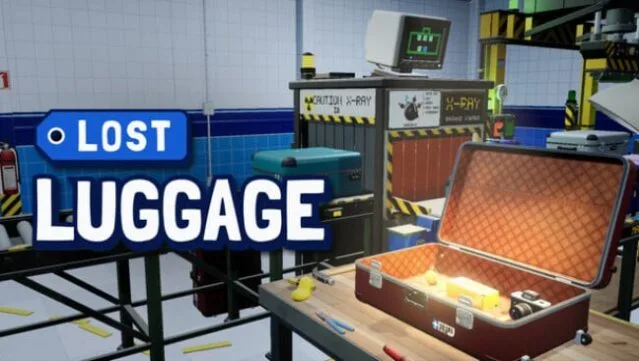
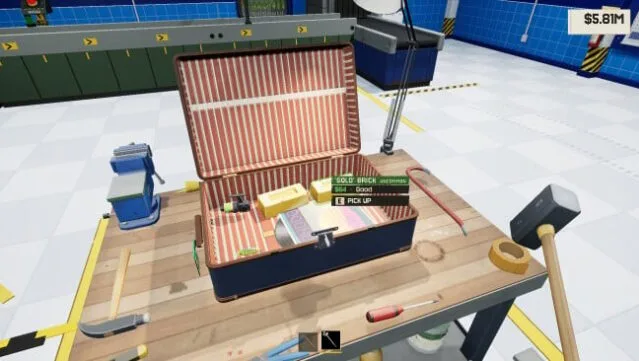
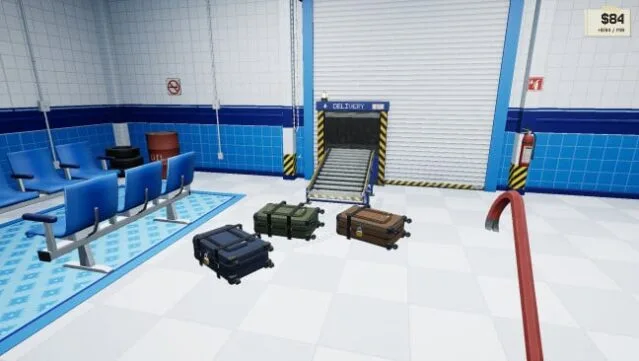
Dive into a quirky world where the mundane meets the absurd as you manage an airport’s abandoned baggage. This unique garage-management sandbox blends humor with the thrill of discovery, allowing players to buy batches of mysterious luggage filled with anything from everyday items to bizarre treasures. The central gameplay loop revolves around breaking open these suitcases, where each delivery presents a gamble: will it yield valuable goods or just junk?
The game shines with its unpredictable contents—some cases might explode, while others could unleash strange creatures. As you progress, you can upgrade your tools from basic prying equipment to heavy-duty demolition gear, enhancing your ability to tackle tougher locks and outlandish surprises. Automation eventually comes into play, letting you streamline operations and focus on hunting rare collectibles. If you enjoy lighthearted management games and the excitement of loot boxes, this title is a must-try.
Instructions
- Click the Download button below and you will be redirected to UploadHaven.
- Wait 5 seconds and click on the blue ‘download now’ button. We recommend using a download manager for faster download speeds. (You can use FDM which is free here, or any other download manager).
- Once the game is finished downloading, right click the .zip file and click on “Extract to Lost Luggage v0.1.0.zip” (To do this you will need 7-Zip, which you can get here, or you can use the built in windows extractor).
- Double click inside the Lost Luggage v0.1.0 folder and run the setup application. Accept the EULA, and install the game. Then, launch the game through the desktop shortcut.
Lost Luggage Free Download (v0.1.0)
Lost Luggage (v0.1.0)
Size: 523.32 MB
Reminder: This download is completely free and won't cost you a penny. However, If you love the game and want to purchase it, you can support the developers by doing so here.
System Requirements
- Requires a 64-bit processor and operating system
- OS: Windows 10 64-bit
- Processor: Intel Core i5-4590 / AMD FX-8350
- Memory: 8 GB RAM
- Graphics: NVIDIA GeForce GTX 960 (2 GB) / AMD Radeon RX 460
- DirectX: Version 12
- Storage: 4 GB available space
Screenshots




Lost Luggage – Windows & macOS Desktop Technical Guides
Need Windows 10/11 (x64) or macOS (Apple Silicon M1–M4 / Intel) compatibility specs, installation steps, or troubleshooting fixes for Lost Luggage? Explore our dedicated desktop sub-guides:
- Lost Luggage Windows & macOS System Requirements
- How to Install Lost Luggage (Windows & Mac Setup)
- Lost Luggage Startup Crash, DLL & Permission Fixes
- Lost Luggage Latest Build Changelog & Patch Notes
Related GOG Unlocked Releases & Hubs: