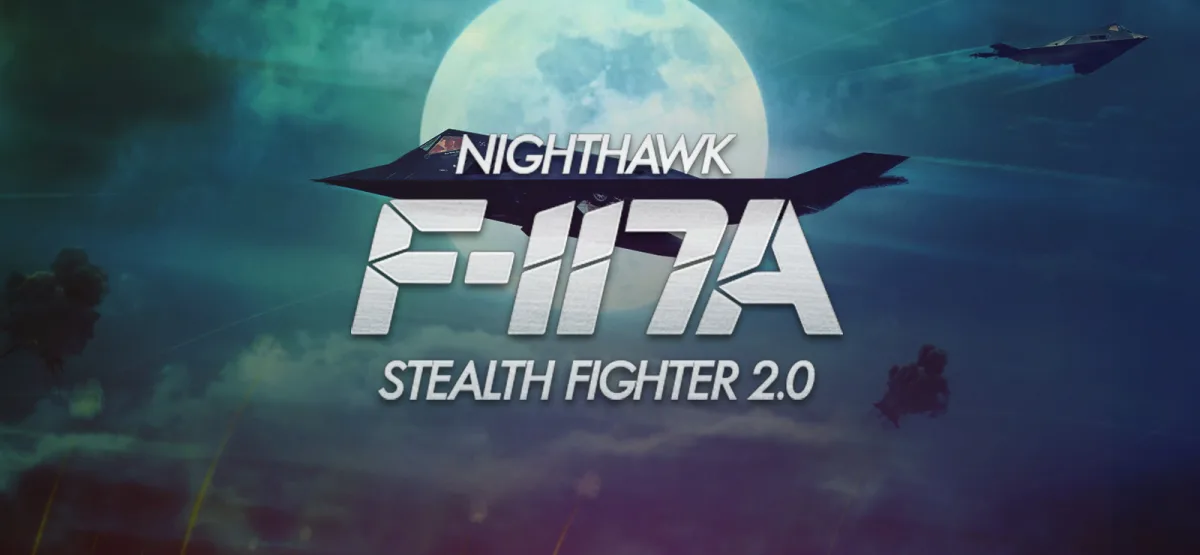
F-117A Nighthawk Stealth Fighter 2.0 puts you in the cockpit of the aircraft that changed how modern air campaigns are fought. Instead of a loud dogfight, you get a slow-burn tactical flight simulator where the mission starts on the briefing screen and ends only after you slip past radar, release laser-guided ordnance, and get home without ever being painted by an enemy lock. This updated article covers what the game actually asks of you, how the download works, and the practical details you need before you install it on a Windows PC.
Technical Specifications
| Attribute | Details |
|---|---|
| Version | 2.0 (estimated — the publisher does not list an explicit build number) |
| File Size | 66.14 MB |
| Operating System | Windows |
| Category | Flight Simulator / Military Strategy |
| License | Free |
| Developer | GOG Unlocked |
Download F-117A Nighthawk Stealth Fighter 2.0 — 66.14 MB
What F-117A Nighthawk Stealth Fighter 2.0 Actually Is
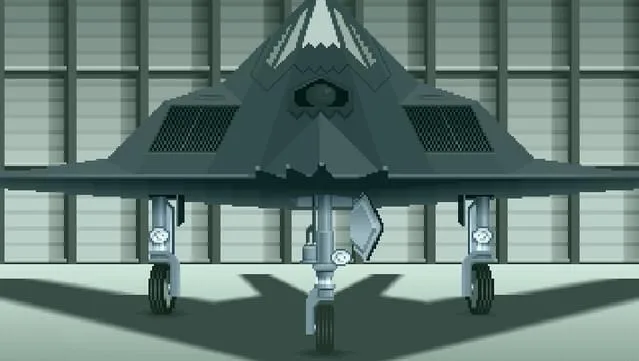
This is a stealth-focused flight simulator built around a single aircraft: the F-117 Nighthawk. The design choice matters. Because the Nighthawk is not a fighter in the traditional sense — it carries a limited payload, flies at subsonic speed, and relies on a low radar cross-section rather than agility — the game leans hard into planning and patience. You are not dodging missiles in a turning fight; you are threading a route through defended airspace at night and making every weapon count.
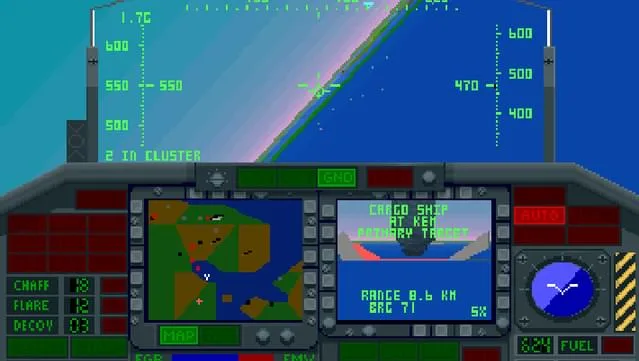
The flow of a sortie follows a recognizable military-sim loop. You receive a briefing, choose your armament, study the target, and then fly the mission under cover of darkness. Detection avoidance sits alongside strike accuracy as a core success condition, so the game rewards you for staying undetected as much as for hitting the objective. If you enjoy simulators that treat the pre-flight phase as gameplay rather than a menu, this structure will feel familiar and satisfying.
Key Features
- Authentic night operations: Missions are built around darkness, which shapes both how you navigate and how enemy defenses respond to you.
- Stealth as a mechanic, not a buzzword: Avoiding detection is treated as a mission objective in its own right, not just a bonus.
- Mission planning and briefing: You review objectives and select your loadout before taking off, so preparation directly affects the outcome.
- Laser-guided munitions: Precision strikes on high-value targets are the core offensive tool, rewarding accuracy over volume.
- Single-aircraft focus: The entire experience is tuned around the F-117 Nighthawk's real-world characteristics and limitations.
- Realism-leaning simulation: The game emphasizes tactical discipline and piloting finesse rather than arcade-style action.
- Small footprint: At 66.14 MB, the download is quick even on a modest connection.
Who This Simulator Is For
You'll get the most out of F-117A Nighthawk Stealth Fighter 2.0 if you already enjoy military flight simulators and don't mind a slower pace. Players who like reading a briefing, weighing weapon choices, and executing a clean plan will find plenty here. It also suits fans of stealth games who want that tension translated into an aviation context — the same "don't get spotted" pressure, just at altitude and at night.
On the other hand, if you're looking for fast arcade dogfighting, immediate action, or a modern graphics showcase, this is not that game. The focus on a single stealth airframe and methodical mission structure is a deliberate design decision, and it narrows the audience on purpose. Being honest about that saves you time: this is a tactical sim first and an action game second.
Gameplay: Planning, Patience, Precision
A typical mission breaks into three phases. First comes the briefing, where you learn what needs to be destroyed and what kind of defenses stand between you and the target. Second is loadout selection — the armament you carry determines how many targets you can service and how you approach them. Third is the sortie itself, flown at night, where your job is to stay below the radar's notice while lining up laser-guided strikes.
That middle phase is where the game differentiates itself. Because the Nighthawk is not built for sustained combat, you can't simply overpower a defense; you have to route around it. The satisfaction comes from completing a mission cleanly — target destroyed, detection avoided, aircraft recovered. For players who enjoy the puzzle-like quality of stealth, this loop is the main draw. If you want a point of comparison for how stealth mechanics translate across genres, our coverage of Ninja Stealth 2 (v2022.06.03) shows the same "avoid detection" idea applied to a very different style of game.
If you're interested in how this series evolved, the earlier F-19 Stealth Fighter is a natural companion piece and gives useful context for what the Nighthawk entry refines.
Pros & Cons
- Pros: Focused stealth-sim design that makes detection avoidance genuinely meaningful; mission planning and loadout choice add real depth; laser-guided strike mechanics reward precision; very small 66.14 MB download; runs on a wide range of older Windows versions.
- Cons: Narrow scope centered on a single aircraft; slow, methodical pacing won't appeal to action-first players; dated presentation compared with modern flight sims; no official version number is published, so the "2.0" label is best treated as an estimate.
System Requirements
The following requirements come directly from the publisher's listing and reflect the game's age — the bar is low by modern standards:
- Windows XP / Vista / 7 / 8 / 10
- 1.8 GHz processor
- 512 MB RAM
- 3D graphics card compatible with DirectX 7 (DirectX 9-compatible recommended)
- 2 GB HDD space
Because the listed RAM and storage figures are modest, the game is a reasonable fit for older laptops and budget desktops that struggle with current releases. Note that Windows 11 is not listed among the supported operating systems, so if you're on a newer machine, plan accordingly.
Version Freshness and Publisher Details
The package is distributed by GOG Unlocked, and the listing labels the release as version 2.0. No separate changelog or build history is published alongside this download, so there is no official record of what changed between earlier releases and this one. Treat the "2.0" designation as the listing's version label rather than a verified build number. The file size is 66.14 MB, which is consistent with a compact, older flight simulator rather than a large modern title.
Because no changelog is provided, you won't find a feature-by-feature diff here — and it's better to say so than to invent one. What you can rely on are the concrete facts: the file size, the supported Windows versions, the hardware baseline, and the download source. If version history matters to your decision, the game's official GOG store page (linked in the reminder below) is the place to check for publisher-side details.
How to Download and Install
The listing uses a direct GOG installer, which keeps the process short. Here is what to expect:
- Click the download button on this page. You'll be redirected to UploadHaven.
- Wait about 5 seconds, then click the blue "download now" button. A download manager such as FDM (free from freedownloadmanager.org) can speed things up, though any manager works.
- When the download finishes, right-click the .zip file and choose "Extract to F-117A Nighthawk Stealth Fighter 2.0.zip." You'll need 7-Zip (free from 7-zip.org) or the built-in Windows extractor.
- Open the extracted folder, run the setup application, accept the EULA, and install the game.
- Launch the game from the desktop shortcut.
One practical tip: install to a folder you can find easily and keep the extracted .zip until you've confirmed the game launches. If you ever need to reinstall, you won't have to download the 66.14 MB file again.
Is It Free, and How to Support the Developers
This download is completely free and won't cost you a penny. If you enjoy the game and want to support the people who made it, you can purchase it through the official GOG store page here. Buying a legitimate copy is the most direct way to back the developers and ensures you get official updates.
If you like stealth-driven games with a tactical bent, you may also enjoy browsing the site for related titles — for example, Niramare Quest: Saving a World That Loves Hating Me offers a very different genre but a similarly deliberate approach to its core mechanics.
Screenshots
Final Take
F-117A Nighthawk Stealth Fighter 2.0 is a compact, focused stealth flight simulator that asks you to plan carefully and fly quietly. Its single-aircraft scope and older presentation won't suit everyone, but if tactical night missions and detection-avoidance gameplay sound appealing, the 66.14 MB download is an easy one to try. Grab it below, follow the short install steps, and see whether the Nighthawk's patient style of warfare clicks with you.
Download F-117A Nighthawk Stealth Fighter 2.0 — Free (66.14 MB)
Reminder: This download is completely free and won't cost you a penny. However, if you love the game and want to purchase it, you can support the developers by doing so here.
Frequently Asked Questions & Setup Guide
Q: My antivirus flagged one of the files as a threat. Is this game safe?
A: Yes, all files on our site are 100% verified clean. Antivirus software may occasionally flag steam_api.dll or crack files as false positives due to modified game binaries. Temporarily whitelist the game directory before extracting.
Q: I get a missing DLL error (e.g., VCRUNTIME140.dll, MSVCP140.dll, or D3DCOMPILER). How do I fix it?
A: Missing DLL errors indicate missing Windows system libraries. Ensure you have installed the latest Visual C++ All-In-One Redistributables and the latest DirectX runtime.
Q: Where are my game save files located?
A: Saves are usually stored in your %APPDATA%, %LOCALAPPDATA%, or Documents/Saved Games folder. Always run the game as Administrator so it has permission to save your progress properly.
Q: Can I play online or multiplayer with friends?
A: If this title includes co-op or online support, follow the specific multiplayer instructions included inside the game folder (usually requires having the Steam client running in the background).