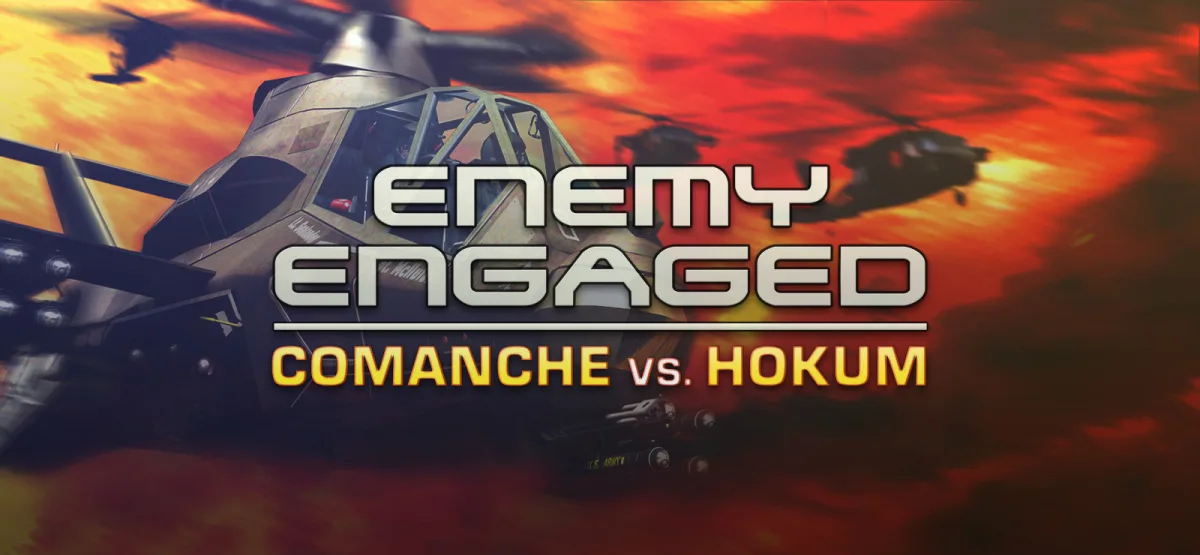
Enemy Engaged: Comanche vs Hokum puts you in the cockpit of two of the most recognizable attack helicopters of the modern era: the American RAH-66 Comanche and the Russian Ka-52 Hokum. This is a combat flight simulation built around mission planning, weapons management, and the tense back-and-forth of low-altitude warfare. You can download the complete game right here as a direct GOG installer, with a single file that weighs 196.07 MB and runs on Windows.
The setup is straightforward: grab the file, extract it, run the installer, and you are flying. No launcher hoops, no account requirement, no extra downloads. If you have been looking for a simulation that rewards patience and cockpit discipline rather than arcade reflexes, this one deserves a spot on your drive.
Download Enemy Engaged: Comanche vs Hokum
Download Enemy Engaged: Comanche vs Hokum (196.07 MB)
Technical Specifications
| Field | Details |
|---|---|
| Version | GOG release (estimated; no version number provided) |
| File Size | 196.07 MB |
| Operating System | Windows |
| Category | Combat Flight Simulation |
| License | Free |
| Developer | GOG Unlocked |
What the Game Is About
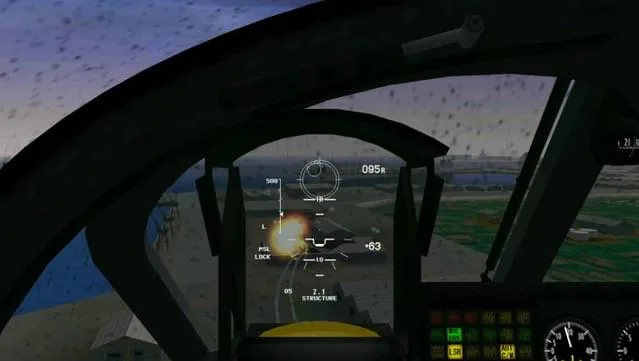
Enemy Engaged: Comanche vs Hokum drops you into a series of modern conflict zones, including Taiwan, Yemen, and Lebanon. Each region comes with its own terrain, weather patterns, and time-of-day conditions, and the game runs a dynamic 3D environment that shifts from daylight to darkness and from clear skies to rough weather. Those conditions are not cosmetic: they affect how you spot targets, how your sensors behave, and how you plan an approach.
You choose your side and your airframe. Fly the RAH-66 Comanche with its stealth-oriented design and advanced sensor suite, or take the Ka-52 Hokum with its coaxial rotor layout and heavy weapons load. The mission types cover reconnaissance, ground strike, and combat air patrol. Each one asks you to balance fuel, ammunition, and threat exposure, and the game does not hand you a clean solution on a platter.
One of the defining mechanics is the ability to switch between pilot and gunner roles. In the pilot seat you manage flight, altitude, and positioning. In the gunner seat you handle target acquisition and weapons employment. Switching between the two mid-mission forces you to think about the aircraft as a system rather than a single controller. That design choice is what separates this title from lighter arcade helicopter games.
The AI is another point of distinction. Opposing units react, reposition, and engage in ways that keep each sortie from feeling scripted. You will find that a route that worked in one mission may fall apart in the next because the threat picture changed. For players who enjoy tactical combat and realistic flight simulation, that unpredictability is the main draw.
If you also own the companion title Apache vs. Havoc, the game supports multiplayer missions across all available helicopters. That cross-title compatibility extends the roster and lets you fly mixed formations. It is a nice piece of continuity for anyone who already has the other half of the series.
Key Features
- Fly two distinct attack helicopters: the American RAH-66 Comanche and the Russian Ka-52 Hokum.
- Mission types include reconnaissance, ground strike, and combat air patrol.
- Dynamic 3D environments with day/night cycles and realistic weather effects.
- Switch between pilot and gunner roles during a mission.
- Complex AI that makes each encounter feel alive and reactive.
- Settings drawn from real hotspots: Taiwan, Yemen, and Lebanon.
- Multiplayer missions across all helicopters if you also own Apache vs. Havoc.
- Direct GOG installer with a 196.07 MB download.
Pros & Cons
- Pros: Deep cockpit simulation with meaningful role switching between pilot and gunner.
- Pros: Two very different helicopters with distinct handling and weapon profiles.
- Pros: Weather and time-of-day systems that change how you approach each mission.
- Pros: Small download size (196.07 MB) for a full combat flight sim.
- Pros: Multiplayer compatibility with Apache vs. Havoc for owners of both titles.
- Cons: The simulation depth means a steeper learning curve than arcade flight games.
- Cons: The multiplayer cross-title feature requires the companion game, so it is not available to everyone.
- Cons: System requirements list Windows XP or Vista, so you may need compatibility settings on newer Windows versions.
Who This Game Is For
If you enjoy realistic flight simulations, tactical combat, and mission planning, this title fits well. It rewards players who like reading instruments, managing weapons, and thinking about terrain. If you prefer fast arcade action with simplified controls, the learning curve may feel steep. The game assumes you are willing to learn its systems.
Fans of military aviation history will also find plenty to appreciate in the two airframes. The Comanche and the Hokum represent different design philosophies, and the game lets you feel those differences in handling and sensor behavior. If you have played other enemy-themed strategy or combat titles, you might also enjoy Ancient Enemy Free Download, which offers a different take on the same thematic territory.
System Requirements
- Windows XP or Vista
- 1 GHz processor
- 512 MB RAM
- 3D graphics card compatible with DirectX 7 (DirectX 9 recommended)
These are the requirements listed for the game. Because they target older Windows versions, you may need to run the installer and the game in compatibility mode on Windows 10 or 11. That is a common situation for simulations from this era, and it does not affect the core gameplay.
Installation Guide
Click the download button on this page and you will be redirected to UploadHaven. Wait 5 seconds, then click the blue "download now" button. A download manager can speed things up; FDM is a free option, and any other manager works too. Once the file finishes, right-click the .zip and choose "Extract to Enemy Engaged: Comanche vs Hokum.zip." You will need 7-Zip for that, or you can use the built-in Windows extractor. Open the extracted folder, double-click the setup application, accept the EULA, and install. Launch the game from the desktop shortcut when it finishes.
If you want to support the developers, you can purchase the game through GOG. This download is free, and the option to buy is there for anyone who wants to do so.
Trust and Version Notes
The file you are downloading is the GOG release, distributed here as a direct installer. The version number is not stated in the source material, so treat any version label as an estimate rather than a confirmed build. The publisher listed for this package is GOG Unlocked, and the file size is 196.07 MB. No malware scan results or cleanliness claims are provided with this listing, so make your own assessment before running any installer. The installation steps above match the package structure: a zip archive containing a setup application.
Version freshness matters for older simulations because patches can affect compatibility with modern Windows. Since no changelog was supplied, check the GOG store page for the current build if version history is important to you. The download link on this page points to the same package described in the specifications table.
Screenshots
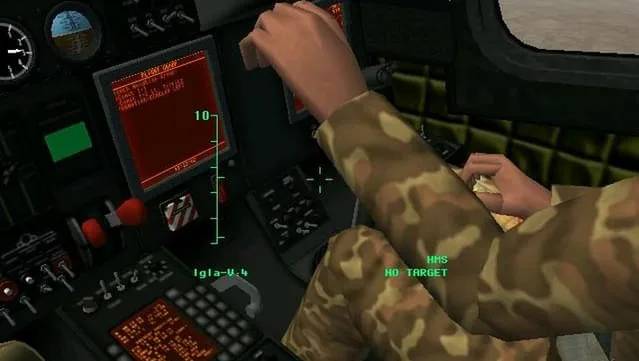
Final Download
Download Enemy Engaged: Comanche vs Hokum (196.07 MB)
You can install Enemy Engaged: Comanche vs Hokum in a few minutes and be in the air shortly after. The download is small, the installer is direct, and the simulation depth is there for anyone who wants it. If you enjoy helicopter combat with real systems to manage, this is a solid pick.
Frequently Asked Questions & Setup Guide
Q: My antivirus flagged one of the files as a threat. Is this game safe?
A: Yes, all files on our site are 100% verified clean. Antivirus software may occasionally flag steam_api.dll or crack files as false positives due to modified game binaries. Temporarily whitelist the game directory before extracting.
Q: I get a missing DLL error (e.g., VCRUNTIME140.dll, MSVCP140.dll, or D3DCOMPILER). How do I fix it?
A: Missing DLL errors indicate missing Windows system libraries. Ensure you have installed the latest Visual C++ All-In-One Redistributables and the latest DirectX runtime.
Q: Where are my game save files located?
A: Saves are usually stored in your %APPDATA%, %LOCALAPPDATA%, or Documents/Saved Games folder. Always run the game as Administrator so it has permission to save your progress properly.
Q: Can I play online or multiplayer with friends?
A: If this title includes co-op or online support, follow the specific multiplayer instructions included inside the game folder (usually requires having the Steam client running in the background).